Photo to Cartoon
Cartoon Image Generator
Transform photos into clean cartoon-style artwork with bright color, rounded features, and a friendly animated feel. It is useful for avatars, family images, and playful brand visuals.
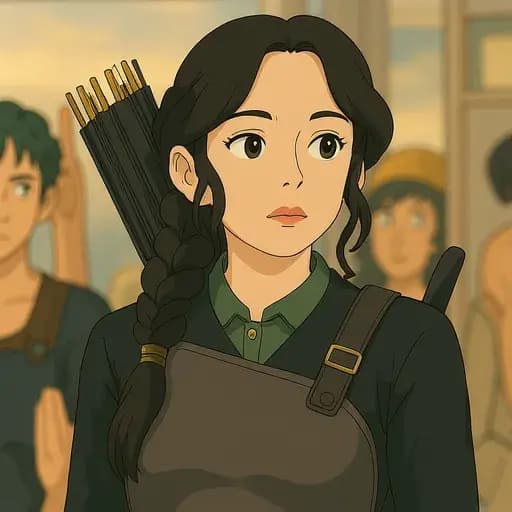
What You Can Create With Cartoon
Use this page as a focused cartoon generator guide: pick the right input photo, choose a format, and create artwork that fits your final use.
Best For
- Family portraits
- Profile images
- Pet cartoons
- Friendly brand visuals
How It Works
- 1.Upload your photo.
- 2.Select Cartoon.
- 3.Choose the output ratio.
- 4.Generate the illustrated result.
Quick Tips
- Use simple backgrounds.
- Choose clear, smiling portraits.
- Try square for avatars and vertical for posters.
Why Use This Style?
Cartoon is tuned for people who want a finished visual result without prompt engineering. Upload a strong source image, choose the style, and Ghibliy handles the rest of the transformation flow.
The generator works especially well when the original photo has a clear subject, balanced lighting, and enough room around the subject for the selected aspect ratio.
Questions About Cartoon
Answers for the most common search questions around uploading photos, choosing formats, downloading results, image quality, and using cartoon outputs.
Create Your Cartoon Image
Upload a photo and generate a polished cartoon version in the Ghibliy editor.
Related Style Generators
Ghibli Style
Turn any photo into soft, storybook Ghibli-style art with Ghibliy AI. Upload a portrait, pet, landscape, or scene and create magical artwork online.
Anime
Convert photos into vibrant anime-style illustrations with clean linework, expressive shading, and polished character detail using Ghibliy AI.
Watercolor
Transform photos into soft watercolor paintings with gentle brush texture, blended color, and elegant paper-like detail using Ghibliy AI.
Pixel Art
Create retro pixel art from photos with a nostalgic game-inspired look, limited color palette, and crisp pixel detail.