Professional AI Headshots
Business Headshot Generator with Ghibliy AI
Generate realistic business headshots with professional wardrobe direction, clean lighting, and a background that fits your field.
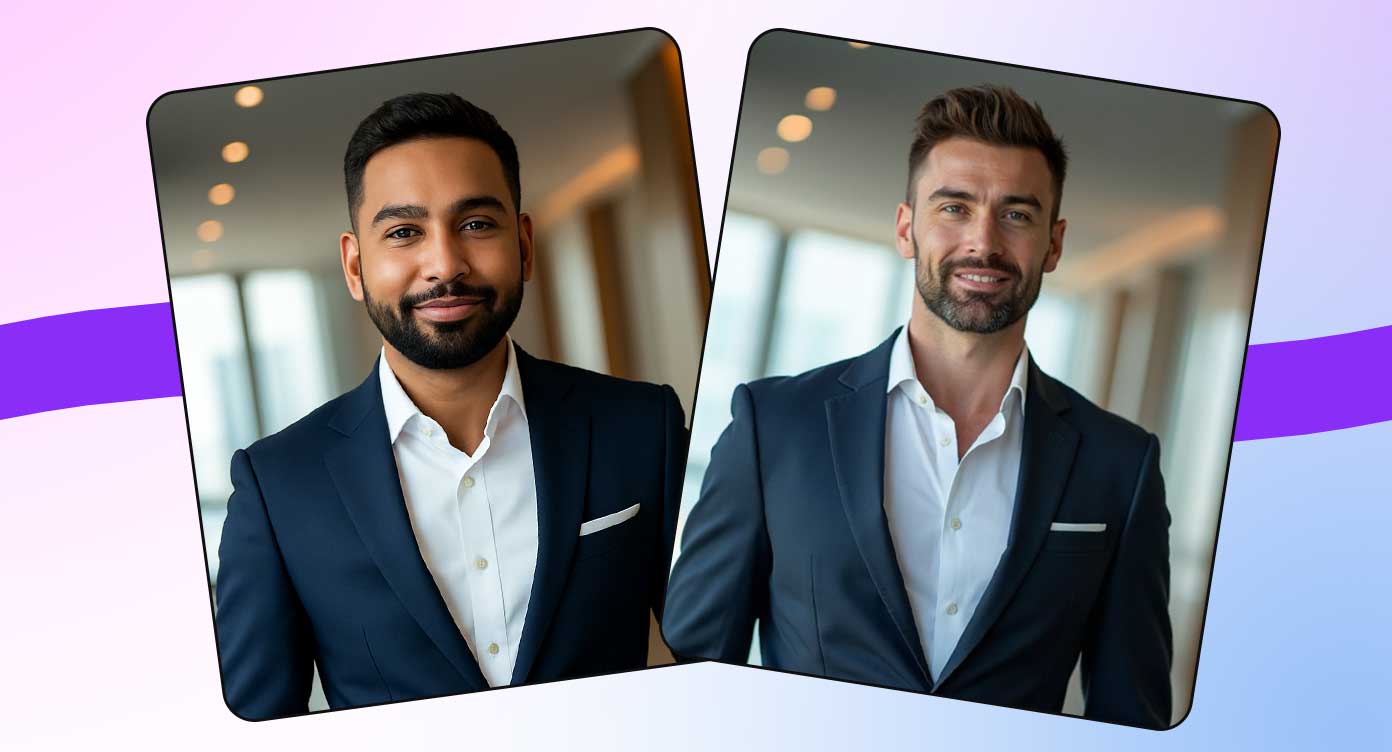
Discover More Features
Business use-case presets
Use Business Headshot Generator to move faster from raw image to polished output.
Executive and smart casual styles
Choose focused settings that guide the AI toward the right result for your use case.
Healthcare, law, real estate options
Download your completed image and find it again later in your private history.
Business headshots for different roles
A real estate headshot should feel friendly and trustworthy, while a legal profile may need a more formal and authoritative tone.
Ghibliy keeps the workflow simple: choose the page that matches your goal, open the connected tool, upload or describe your image, then generate a finished result with production settings already prepared.
Create HeadshotCreate a polished first impression
Use a professional AI headshot for websites, proposals, directories, pitch decks, profile cards, and business networking.
Start from the guide, open the matching tool, and create a polished image without rebuilding the same prompt and settings from scratch.
Try It NowHow to Use Business Headshot Generator
Upload a portrait
Use a clear solo photo with your face visible. Recent, well-lit images usually create the most recognizable results.
Pick purpose and style
Choose LinkedIn, resume, corporate, business, or profile presets, then select a professional background.
Download your headshot
Generate a square professional image for profiles, team pages, resumes, and business directories.
Ways You Can Use Business Headshot Generator
Ghibliy tools are built for fast creative production, practical marketing workflows, and repeatable image generation without a complicated editor.
Consultant profiles
Create a polished image for consultant profiles with fewer manual design steps.
Founder bios
Create a polished image for founder bios with fewer manual design steps.
Healthcare profiles
Create a polished image for healthcare profiles with fewer manual design steps.
Real estate and legal pages
Create a polished image for real estate and legal pages with fewer manual design steps.
“Business Headshot Generator helped me create cleaner images without opening a complicated editor.”
“The workflow is simple: upload, choose a preset, generate, and download. It fits my daily content process.”
“I like that the result is saved in history, so I can come back and download it again later.”
Why Pick Ghibliy?
Fast Creative Workflow
Move from idea or upload to finished image quickly, with tool presets built for common use cases.
Saved, Ready-to-Use Results
Download your finished images and revisit completed generations from your private history whenever you need another copy.
Easy to Repeat
Presets make it easier to create variations for campaigns, profiles, stores, listings, and social posts.
Questions About Business Headshot Generator?
What is a business headshot?
A business headshot is a professional portrait used on websites, proposals, directories, LinkedIn, email profiles, and client-facing materials.
Which professionals can use business headshots?
Consultants, founders, real estate agents, lawyers, healthcare providers, coaches, salespeople, speakers, freelancers, and corporate teams can all use business headshots.
What style should I choose for a business headshot?
Executive works well for formal roles, Modern Office fits most business profiles, Smart Casual feels approachable, and Studio is a clean all-purpose choice.
What is an AI headshot generator?
An AI headshot generator transforms a clear portrait into a polished professional image for LinkedIn, resumes, company websites, directories, and business profiles.
How does the AI headshot generator work?
Upload a solo portrait, choose a purpose, style, and background, then Ghibliy generates a square headshot with professional lighting, framing, and presentation.
What photo should I upload for the best headshot?
Use a recent, clear photo with your face visible, good lighting, minimal blur, and no heavy filters. Solo portraits work better than group photos or cropped screenshots.
Can I use the headshot for LinkedIn?
Yes. The LinkedIn preset is designed for a clear, approachable, professional profile image that works well in square and circular crops.
Can I use an AI headshot on a resume?
Yes, especially in regions or industries where resume photos are common. Keep the style conservative, current-looking, and not misleading.
Will it keep my face recognizable?
The prompt emphasizes preserving facial structure, skin tone, hair, glasses, facial hair, and other recognizable details while improving the professional presentation.
Which background should I choose?
White and gray are the most versatile. Office backgrounds feel business-friendly, dark studio looks more executive, and custom backgrounds can match a specific brand.
Which style should I choose?
Modern Office is a safe all-purpose choice, Studio is clean and polished, Outdoor Professional feels approachable, Executive is more formal, and Smart Casual is useful for founders and freelancers.
What size is best for professional profile photos?
A square image is the safest format because LinkedIn, team pages, directories, and many profile platforms crop headshots into square or circular displays.
Can a team use this for consistent corporate headshots?
Yes. Teams can use the same purpose, style, and background choices to create a more consistent look across staff profiles and company pages.
How do I make an AI headshot look natural?
Upload a good source photo, choose a realistic style, avoid extreme custom prompts, and check the final image for facial details, hands, clothing edges, and background artifacts.
Are AI headshots acceptable for professional use?
They are useful when the final result is realistic, current, and honest. Avoid using a headshot that changes your age, identity, credentials, or appearance in a misleading way.
Are generated headshots saved?
Yes. Completed headshots are saved to your private image history for download and future access.
Can I choose clothing or a custom background?
Yes. Use the purpose, style, background, and custom prompt options to guide wardrobe tone, business setting, and overall presentation.
Ready to Try Business Headshot Generator?
Create business headshots for professionals, teams, founders, real estate agents, healthcare providers, lawyers, and consultants.